Posts

Showing posts with the label customize

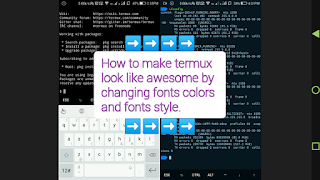
How to change fonts/Colors in termux app.
Image
In this article you make Termux look great by changing font color, Font Style type below commands apt update && apt upgrade apt install curl  -sh -c "$(curl -fsSL  https://github.com/Cabbagec/termux-ohmyzsh/raw/master/install.sh)" wait until installing and select option according to your choice. Ex: type  0   Now exit termux and start again Almost setup completed only give command for a task. Example:- Type :- ~/.termux/colors.sh  (To change color scheme)  ~/.termux/fonts.sh  (To change font)  :-Demo with Live video-: Enjoy!  Don't forget to subscribe...

How to Insert ANCII txt in your termux terminal ?

Image
In this practical we Insert ANCII txt in your Termux terminal Let's start. You nees to type below given commands to insert ANCII text in Termux Terminal - Start Termux App and type below commands. Type pkg install figlet and press enter Type pkg install nano and press enter again new session open & type Type cd .. and press enter Type ls and press enter Type cd and press enter Type ls and press enter Tpe cd etc and press enter Type ls and press enter Type nano bash.bashrc and press enter After apply set of these commands successfully, you will see below screen. Done ! You've successfully completed this trick. Now check with below command. Type g   with hold down ctrl key press enter And you will see a help menu with many instructions as below screen. ___________________________________ Video for live demo,  pls check --------- Enjoy  ! Follow us for more...